











The login page at sportbet-ng.com is the entry point to your personal betting account. Once signed in, you can place bets, check your balance, review past wagers, and update your profile details. You need the phone number or email address used during registration, together with your password. The process is similar on desktop and mobile, and you should always check that you are using the correct website before entering account details.
How to Log In to Sportbet
Open sportbet-ng.com in a browser and select the login button at the top of the homepage. The sign-in form asks for the phone number or email address linked to your account, followed by your password.
After submitting the form, you may be asked to complete a short identity check. This can involve a verification code and is a normal account-protection step. When the details are accepted, you are taken to the dashboard, where your balance, open bets, and settings are available.
- Step 1: Open sportbet-ng.com.
- Step 2: Select the login button.
- Step 3: Enter your registered phone number or email.
- Step 4: Type your password carefully.
- Step 5: Complete any verification prompt shown.
- Step 6: Check that your account dashboard has loaded.
Logging In from a Mobile Device
The mobile version works in current browsers such as Chrome, Firefox, and Safari on Android phones and iPhones. Open the website in the browser, and its layout will adjust to the screen. You do not need to zoom in to use the main buttons or the login form.
Mobile access includes the core account functions available on desktop, including the bet slip, balance, betting history, and profile settings. A stable mobile data or Wi-Fi connection helps prevent interrupted sessions, particularly when pages refresh frequently. If the form looks incomplete, rotate the phone, reload the page, or update the browser before trying again.
Signing In Through the App
Where the official app is available, open it and select the sign-in option on the launch screen. Enter the same details used on the website. Supported devices may offer biometric access, but keep your account password available in case the app requests it after an update or security check.
Keep the app updated because newer versions can contain security fixes and compatibility improvements. Download it only from the official app page, and avoid files shared through unverified websites or messages.
What You Can Do Inside Your Account
The account dashboard shows available funds, pending transactions, open bets, and completed wagers. Bet history normally includes dates, selections, stakes, and outcomes, which makes it easier to review activity and identify an unfamiliar transaction.
Account settings allow you to change contact details, update your password, and manage notifications. If security settings include recent login activity, review them after using a new device. Sign out of the account before handing a shared phone or computer to another person.
Password Recovery
If you cannot remember your password, select the Forgot password? option on the login form. Follow the instructions to confirm ownership through the phone number or email address registered to the account. Enter the verification code sent to you, then choose a new password on the recovery page.
Use a password that is difficult to guess and different from those used for email or social media. Check every character before submitting it, especially if your phone has automatic capitalisation enabled. If the recovery code does not arrive, confirm that the contact details are correct, check the spam folder, and request a new code only after the previous one has expired.
Registration
Registration is needed only when you do not already have an account. It is different from login: registration creates a profile, while login gives an existing user access to it. You may be asked for a valid phone number or email address, a password, and basic personal information for account verification.
Use contact details that you can access because they may be required for confirmation or future password recovery. After registration is complete, keep the credentials private and use them on the official website or app rather than entering them into an unofficial form.
Fixing Common Login Problems
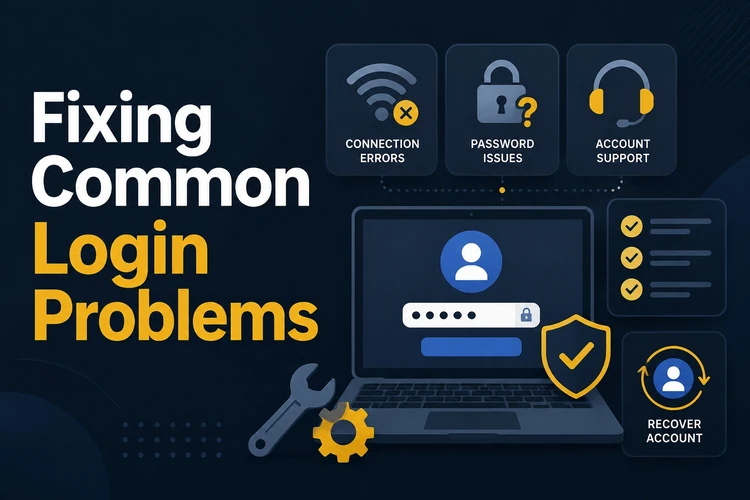
An incorrect password is a common cause of failed access. Check that Caps Lock is off and that you are using the phone number or email address from the original registration. If you have tried several passwords, stop repeated attempts and use password recovery instead.
If the page does not load, test the connection, reload the browser, and clear its cache and cookies. An outdated browser can also prevent the form from responding, so install available updates or try another current browser. A temporary lock may follow several failed attempts; wait before trying again. If a verification code is missing, check the delivery details and request a fresh code. During technical maintenance, access may return only after the service is restored.
- Wrong password: use the Forgot password? option.
- Account temporarily locked: wait before trying again.
- Page not loading: check the connection and clear cache and cookies.
- Code not arriving: verify the contact details and request a new code.
- Maintenance message: wait and try again later.
Keeping Your Account Secure
Use a unique password and do not share it with anyone. Avoid saving credentials on public or shared devices, and sign out when your session is finished. Before entering details, check the browser address and make sure you are on the official sportbet-ng.com site.
Review account activity regularly and contact support if you see a transaction or login that you do not recognise. For practical guidance on keeping betting within your limits, visit the responsible gambling guidance. 18+
FAQ
Open sportbet-ng.com, select the login button, and enter the phone number or email address registered to your account followed by your password. Complete any verification step shown to reach the dashboard.
The site is intended for users in Nigeria. You can access an existing account from a compatible browser or, where available, through the official app using your registered details.
Yes. Use a current mobile browser on Android or iOS, or use the official app where it is available. The same account credentials apply on both methods.
Select Forgot password? on the login form and follow the instructions. Confirm the account through the registered phone number or email, enter the verification code, and create a new password.
Confirm that the phone number or email is the one linked to the account. Then check the connection, clear browser cache and cookies, and try a current browser. After repeated failed attempts, wait in case access has been temporarily locked.
Use the registration option rather than the login form. Provide an accessible phone number or email address, create a password, and complete any account verification requested before signing in.