











Most betting in Nigeria now happens on a phone, often somewhere with a patchy network connection. That is the practical reason the Sportbet app exists: it keeps your session, bet slip and notifications in one place instead of reloading a browser page every time the signal dips. This page explains what the application does, how to install it on Android, how the lighter build differs and what to check before you tap install on any file.
One rule matters more than the rest. Install only from the official source reached through this site. Files handed around on WhatsApp groups or random download portals can be repackaged, and a repackaged betting app may expose your login details or payment information. Before installing, check the file source, the requested permissions and the available storage on your phone.
What Is the Sportbet App?
The application is a native Android client for the sportsbook. It brings pre-match and live markets, your account balance, deposits and withdrawals, bet history and event alerts into one interface designed for a small screen. Odds refresh inside the app rather than after a full page reload, which is useful when you are following a match minute by minute.
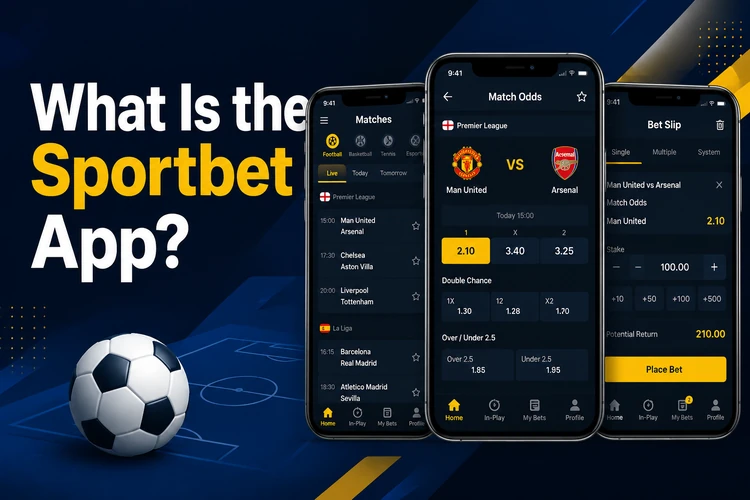
Compared with a browser, the practical gains are speed and persistence. The app can keep you signed in between sessions, so you do not have to type a password at half-time, and its compact layout may use less data than repeatedly loading a full web page. If you bet several times a week on football, a dedicated app can be convenient. If you only place an occasional coupon, the mobile site can do the same job without using additional storage.
Sportbet App Download: Step by Step
The installation follows the normal Android pattern for an application distributed outside the Play Store. Nothing here needs technical skill, but read the permission prompts instead of tapping through them. Set aside a few minutes and use a stable connection. If the download stops halfway, delete the partial file and start again rather than trying to install it.
- Step 1: Open the download section on the official Sportbet website from your phone browser.
- Step 2: Tap the Android download button and accept the browser warning about files from this source.
- Step 3: Wait for the file to finish completely, then check that its size looks plausible for an app rather than only a few kilobytes.
- Step 4: In Android settings, allow installation from your browser under the special app access section.
- Step 5: Tap the downloaded file and confirm the installation, reading the permission list as it appears.
- Step 6: Open the app, then sign in with your existing details or create a new account.
Your account is the same on every platform, so there is no need for a second registration. If you have forgotten your details, reset them through the login page before installing. After the first launch, check the displayed balance, profile details and notification settings before placing a bet.
Sportbet APK and the Lite Version
An APK is simply the Android package format used to install software. Operators may distribute an APK directly because app-store rules for gambling applications vary by country. The format itself does not prove that a file is safe: the source, file integrity and permissions still matter. Do not use modified packages that promise extra features or altered odds.
The lighter build targets entry-level phones and users managing expensive data. It reduces animation, heavy graphics and some secondary screens while keeping the core betting functions. On a phone with limited memory, this can reduce slowdowns when switching between fixtures, the bet slip and a browser tab.
| Feature | Full app | Lite version |
|---|---|---|
| Install size | Larger | Noticeably smaller |
| Pre-match and live betting | Yes | Yes |
| Deposits and withdrawals | Yes | Yes |
| Animations and rich graphics | Full | Reduced |
| Data usage | Higher | Lower |
| Older or budget phones | May lag | Often more suitable |
Both versions still need an internet connection to retrieve current fixtures, odds and account information. A Lite build is not an offline betting tool, and it cannot make an unstable mobile network reliable. Compare the available storage and your usual data conditions before choosing between the two.
Device Requirements and Updates
A reasonably modern Android version and around 100 MB of free space cover the full app comfortably; the lighter build needs less. The exact requirement can change with a new release, so leave additional room for temporary installation files. Live betting is the demanding part because prices move constantly, making a stable 4G or Wi-Fi connection more important than a fast processor.
Clearing the app cache can fix sluggish menus without removing account data. Updates may arrive as a new installation file or as an in-app prompt, depending on the build. Take them when offered because releases can include market changes, payment fixes and security patches. If an update refuses to install, free up storage, restart the device and download again from the same official page. You usually do not need to uninstall first unless the app specifically instructs you to do so.
Security and Responsible Play
Protect the account as carefully as the file. Use a password that is not reused on email or social media, enable any additional verification step available in the account settings and avoid leaving a betting app signed in on a shared phone. Keep Android and the phone's security software updated, and review permissions after a major app update.
Before making a deposit, confirm that you are using the intended cashier screen and that the payment details are correct. Never send a password, one-time code or full card details to someone claiming to offer installation help. Withdrawals should use payment details registered in your own name, so matching your profile information to your bank records can prevent avoidable delays.
Support is available through the contact page if a deposit hangs or a login fails after installation. Set a deposit limit before you begin and treat betting as entertainment with a defined budget, not as income. Betting is for adults aged 18+. Take a break if you are chasing losses, increasing stakes to recover money or finding that betting is affecting bills, sleep or relationships. The responsible gambling information explains practical ways to keep activity within limits.
FAQ
Open the download section of the official site in your phone browser and tap the Android button. Allow installs from your browser in Android settings, then open the completed file and confirm. Use a stable connection and check that the file came from the official source.
An APK offered through the operator's own website is the intended Android package. The format is common for apps distributed outside an app store, but files from third-party portals or messaging groups should be avoided because they may have been modified.
Yes. The lighter build reduces graphics and data use, making it more suitable for budget phones or small data bundles. It still needs an internet connection for current odds, fixtures, account details and transactions.
The application is free to download and install, and it is designed for Android devices that meet the current software requirements. Mobile data charges from your network still apply, and placing bets requires funds in your account.
Yes. The same account can be used on the app and the mobile website, so your balance and bet history remain associated with your profile. There is no need to create a second account after installation.
The app provides access to the available cashier functions for users in Nigeria. Payment methods and processing conditions can vary, so check the details shown in your account before confirming a transaction. Withdrawals should use payment details registered in your own name.